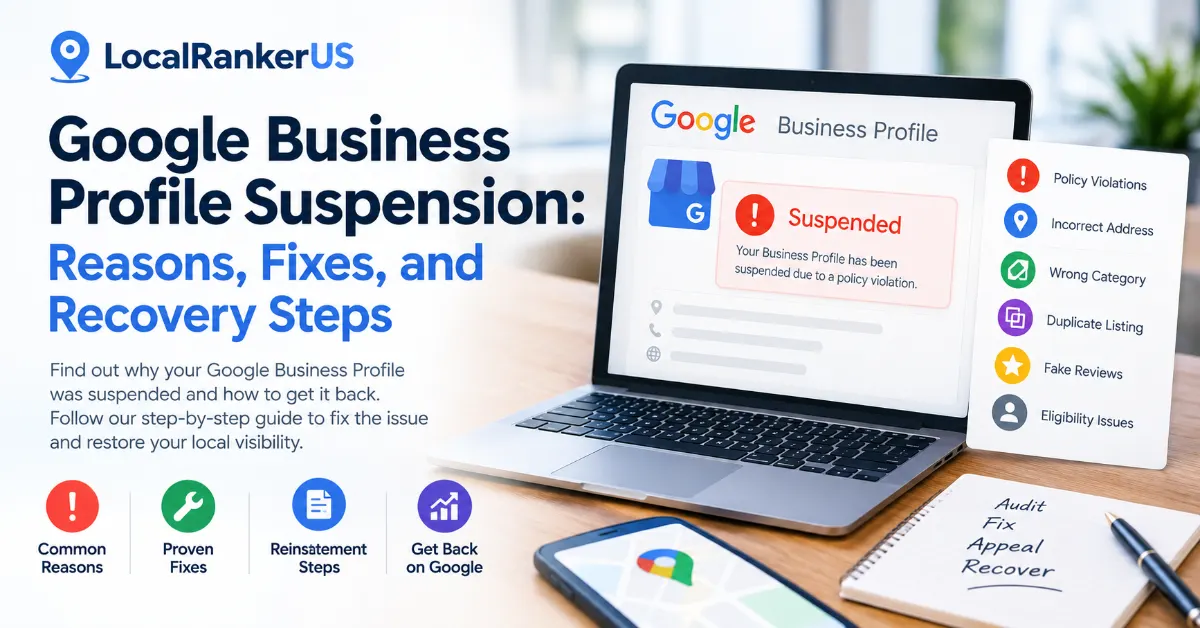
A Google Business Profile suspension notice can be alarming, especially when Google Search and Google Maps are important sources of phone calls, website visits, directions, bookings, and local leads.
A suspension does not necessarily mean a business has permanently lost its Google presence. In many cases, a legitimate business can request reinstatement after identifying the underlying issue, correcting policy violations, and providing appropriate evidence.
The difficult part is determining why the Google Business Profile Suspension, what needs to be fixed, which documents may be required, and how to submit a strong reinstatement request.
This guide explains the most common Google Business Profile suspension reasons, how to diagnose the problem, what steps to take after suspension, and how businesses can reduce the risk of future suspensions.
Important: Google does not publish a universal suspension or reinstatement success rate. Any percentages from third-party datasets should be treated as case-specific data rather than industry-wide statistics.
What Is a Google Business Profile Suspension?
A Google Business Profile suspension occurs when Google restricts or disables a Business Profile because it determines that the profile, business, account, or associated content may not comply with its policies.
Depending on the situation, a suspended profile may:
- Disappear from Google Search and Maps
- Remain visible but become unmanageable
- Lose the ability to make edits
- Require additional verification
- Require a reinstatement request
- Have specific content removed
- Be affected by an account-level restriction
Google provides an official Business Profile appeals process for businesses that believe their profile has been suspended incorrectly.
The first mistake many business owners make is treating a suspension as a simple technical problem.
It usually requires a broader investigation.
A better approach is to treat a suspension as a business eligibility, policy compliance, identity, ownership, or data-consistency problem.
Common Google Business Profile Suspension Reasons
There is rarely one universal reason behind every suspension. Google evaluates several aspects of a Business Profile, including business eligibility, representation, address information, categories, ownership, reviews, and content.
The following table highlights common areas that businesses should investigate.
| Potential Issue | Example | Risk Level |
| Incorrect business name | Adding city or service keywords to the actual business name | High |
| Incorrect address | Using a virtual office or an address where the business does not operate | High |
| Wrong category | Selecting an inaccurate category for ranking purposes | High |
| Duplicate profile | Creating multiple profiles for the same location | High |
| Ineligible business | Online-only or lead-generation business creating a GBP | Critical |
| Fake reviews | Purchasing or incentivizing reviews | Critical |
| NAP inconsistency | Business information differs across important sources | Medium–High |
| Ownership problems | Unauthorized person or agency controls the profile | Medium–High |
| Misleading information | False or inaccurate business information | High |
| Policy-violating content | Posts, photos, or other content violating Google’s guidelines | Medium–High |
Google’s Business Profile Guidelines require businesses to represent themselves accurately and follow its eligibility, naming, address, and profile-management requirements.
1. Keyword-Stuffed Google Business Profile Name
One of the most common mistakes in local SEO is turning the Google Business Profile name into a keyword field.
For example:
Actual business name:
ABC Dental
Risky profile name:
ABC Dental | Best Dentist in Dallas | Emergency Dentist
The business name should reflect how the business is actually represented in the real world.
Google’s guidelines state that unnecessary information should not be added to a Business Profile name.
Better approach
Keep the profile name consistent with:
- Real-world signage
- Official business documents
- Website branding
- Business cards and stationery
- Customer-facing materials
Location and service keywords should be used in appropriate profile fields instead of manipulating the business name.
This is especially important for businesses working with an experienced local SEO strategy, where optimization should focus on the entire local search ecosystem rather than keyword stuffing.
2. Incorrect or Ineligible Business Address
Address problems can become serious suspension triggers.
Consider a simple example.
A plumber operates from a legitimate office but uses a coworking address because it is closer to the neighborhood the company wants to target.
That creates a potential eligibility and verification problem.
Google requires businesses to accurately represent their location or service area. Businesses also need to meet Google’s eligibility requirements.
Businesses should be particularly careful with:
- Virtual offices
- Mailbox addresses
- Coworking locations
- Residential addresses
- Locations where the business does not actually operate
- Incorrect service-area configurations
If the business is a service-area business, the profile should accurately represent how and where the business serves customers.
3. Incorrect Google Business Profile Category
Your primary category helps Google understand what your business fundamentally does.
Consider a dental practice that selects an unrelated category simply because another business appears to rank for a particular search.
That creates a mismatch between:
- Business identity
- Primary category
- Website
- Services
- Real-world operations
Categories should describe the actual business rather than being treated as ranking shortcuts.
A proper Google Business Profile optimization strategy should prioritize accuracy before attempting to maximize keyword coverage.
4. Duplicate Google Business Profiles
Creating multiple profiles for the same business location can create significant problems.
For example, a roofing company has an established profile with years of reviews.
Someone creates another profile using:
ABC Roofing + City Name
The second profile is eventually suspended.
Creating another listing is not the solution.
The business should determine which profile legitimately represents the business and resolve the duplicate issue.
Google’s Business Profile guidelines generally require businesses to maintain one profile per eligible business location, subject to Google’s specific rules.
5. Fake or Incentivized Reviews
Review manipulation is another major risk.
Examples include:
- Purchasing Google reviews
- Paying customers specifically for positive reviews
- Offering discounts in exchange for reviews
- Asking employees to review the business as customers
- Creating multiple controlled accounts
- Manipulating ratings
Google’s review and prohibited content policies prohibit fake engagement and review manipulation.
Businesses should build reviews through legitimate customer experiences instead.
A strong review strategy focuses on making it easy for genuine customers to provide honest feedback.
6. Business Eligibility Problems
Sometimes the problem isn’t optimization at all.
The business may not qualify for a Google Business Profile.
Google’s Business Profile eligibility guidelines identify businesses and situations that may not qualify.
Examples can include:
- Online-only businesses
- Lead-generation businesses
- Certain rental or for-sale properties
- Businesses using unauthorized locations
- Businesses that do not meet Google’s in-person customer-contact requirements
Before submitting a reinstatement request, verify that the business actually qualifies.
Real-World Google Business Profile Suspension Examples
Understanding real business situations makes suspension problems easier to diagnose.
Example 1: Dentist Changes the Business Name
A dental practice originally uses:
Smile Dental
An SEO provider changes the name to:
Smile Dental – Best Dentist in Austin
The profile later becomes suspended.
The first step should not be creating another listing.
Instead, the business should review the profile name against Google’s real-world naming requirements and correct the issue before submitting an appeal.
Example 2: Service-Area Business Uses a Virtual Office
A mobile HVAC company serves customers throughout a metropolitan area but uses a rented office address where the company does not actually operate.
The appropriate response is to review the business’s eligibility, address configuration, and service-area settings.
Creating another profile would not solve the underlying problem.
Example 3: Duplicate Business Listing
A local roofing company already has an established Google Business Profile.
An employee creates another profile using the company name plus a city keyword.
The new profile is suspended.
Instead of creating another listing, the business should investigate the duplicate and determine which profile legitimately represents the business.
What Percentage of Suspended Profiles Get Reinstated?
There is no official Google-published reinstatement percentage that applies to all suspended Business Profiles.
However, third-party case datasets can provide useful context.
One 2025–2026 Australian dataset reported 295 reinstatements out of 300 suspension cases, equivalent to approximately 98.3% of that particular dataset.
Five cases were not returned online.
| Dataset | Cases | Returned Online | Percentage |
| Search Scope Australian suspension cases | 300 | 295 | 98.3% |
| Cases not returned online | 300 | 5 | 1.7% |
This should not be interpreted as saying that 98.3% of all Google Business Profile suspensions are reinstated.
It is a specific dataset from one provider’s case population.
The broader takeaway is that reinstatement can be achievable for legitimate businesses when the underlying issue can be identified, corrected, and properly documented.
Google Business Profile Suspension Trigger Data
A separate 2026 healthcare-focused reinstatement dataset analyzed 47 cases in India between January and August 2026.
The reported primary triggers included:
| Suspension Trigger | Share of 47 Cases |
| Category misclassification | 22.3% |
| NAP inconsistency | 17.6% |
| Virtual office/rented desk address | 11.9% |
| Keyword-stuffed business name | 9.8% |
| Duplicate listing | 8.1% |
| Prohibited service/category issue | 6.9% |
| Fake-review manipulation | 6.4% |
| Prohibited owner-response content | 4.7% |
Again, this is not a general Google suspension benchmark.
It represents one healthcare-focused sample, but it illustrates an important local SEO principle: seemingly small profile-data decisions can become significant when they create conflicts with Google’s guidelines.
Soft vs. Hard Google Business Profile Suspension
SEO professionals commonly use the terms soft suspension and hard suspension to describe different types of restrictions.
Soft Suspension
A profile may remain visible publicly, but the business owner may lose management capabilities or be asked to verify the business again.
Hard Suspension
The profile may be removed from public visibility and management access.
The exact experience can vary depending on whether the restriction affects the individual profile, the managing Google account, or particular profile content.
Google also distinguishes between profile restrictions and content-level moderation.
How to Fix a Google Business Profile Suspension
Do not immediately create another Business Profile.
Instead, follow a structured recovery process.
Step 1: Identify the Suspension Message
Log into the Google account managing the profile.
Check:
- Google Business Profile
- Email notifications
- Google Business Profile appeals tool
- Account restrictions
- Verification status
- Available policy information
Google’s appeal system can provide information about the restricted profile and the relevant policy or reason for the moderation action.
Start with the actual notification rather than guessing the reason.
Step 2: Audit the Entire Profile
Do not only fix the field mentioned in an email.
Review the complete profile:
- Business name
- Primary category
- Secondary categories
- Address
- Service area
- Phone number
- Website
- Hours
- Services
- Products
- Business description
- Photos
- Google Posts
- Reviews
- Ownership
- Managers
- Duplicate profiles
The objective is to identify the root cause, not just the visible symptom.
Step 3: Check Your Website and Citations
Google Business Profile information should make sense within the broader local search ecosystem.
Compare your business information across:
- Official website
- Google Business Profile
- Major business directories
- Social profiles
- Industry directories
- Local citations
For example:
Website: ABC Plumbing LLC
GBP: ABC Plumbing & Drain Experts
Directory: ABC Plumbing LLC
Differences like this do not automatically mean a suspension will occur, but they should be investigated.
This is one reason a proper local SEO service should include more than Google Maps optimization alone.
Step 4: Correct the Policy Problem
Make legitimate corrections before submitting an appeal.
For example:
- Remove unnecessary keywords from the business name.
- Correct an inaccurate address.
- Fix an inappropriate category.
- Resolve duplicate profiles.
- Remove policy-violating content.
- Stop review incentives.
- Correct ownership issues.
- Ensure the business meets eligibility requirements.
Do not make random changes simply to see whether the suspension disappears.
A controlled audit is much more useful.
Step 5: Prepare Supporting Evidence
Google may request supporting documentation during the reinstatement process.
Depending on the business, useful documentation can include:
- Business registration
- Business license
- Tax documentation
- Utility bill
- Official business documents
- Exterior signage
- Lease documentation where appropriate
- Other legitimate evidence demonstrating the business’s identity and location
The documentation should support the information associated with the Business Profile.
Evidence Checklist
| Evidence | What It Can Support |
| Business registration | Legal business identity |
| Business license | Business legitimacy |
| Utility bill | Physical location |
| Tax document | Business identity |
| Exterior signage | Real-world business presence |
| Website | Business information consistency |
| Relevant directories | NAP consistency |
Never submit altered, misleading, or fabricated documentation.
Step 6: Submit the Google Business Profile Appeal
After the profile has been audited and legitimate issues have been corrected, use Google’s official appeal process.
The Google Business Profile appeals process allows eligible businesses to request a review of restrictions.
Google’s guidance also indicates that businesses should not create a new Business Profile for the same business while an appeal is under review.
If Google provides an evidence-submission option, carefully follow the instructions and provide relevant documentation.
Step 7: Wait for the Decision
Avoid repeatedly submitting appeals for the same issue.
Google’s current guidance indicates that some appeal decisions can take up to five working days.
If the appeal is denied, Google may provide an option for additional review depending on the circumstances.
The key is to use the time before an appeal to make sure the underlying problem has actually been addressed.
What Not to Do After a GBP Suspension
Some recovery attempts can make the situation more complicated.
| Avoid | Why |
| Creating another profile immediately | Can create duplicate listings |
| Keyword stuffing the business name | Can violate naming guidelines |
| Buying reviews | Creates policy risk |
| Submitting fake documents | Can damage the appeal |
| Randomly changing profile information | Makes diagnosis harder |
| Repeatedly submitting appeals | Can interfere with an existing review |
| Ignoring website inconsistencies | Leaves potential issues unresolved |
| Giving access to unknown agencies | Creates account-security risks |
The goal should be accurate representation and policy compliance, not finding a workaround around Google’s moderation systems.
How Local Ranker US Can Help With GBP Suspension Recovery
A Google Business Profile suspension should not be treated as an isolated SEO problem.
A proper recovery process should look at the profile together with the wider local search ecosystem.
Local Ranker US takes a practical approach to local search by examining the business’s Google Business Profile, website, citations, local SEO signals, and overall online presence.
Depending on the situation, the process can include:
1. GBP Audit
Review business information, categories, services, address, ownership, content, and profile configuration.
2. Policy Review
Identify potential conflicts with Google’s Business Profile guidelines.
3. NAP Audit
Compare business name, address, and phone information across important local sources.
4. Duplicate Profile Analysis
Identify potentially conflicting or duplicate listings.
5. Website Consistency Review
Check whether the website accurately supports the business identity represented on Google.
6. Evidence Preparation
Help organize legitimate business documentation relevant to the reinstatement process.
7. Reinstatement Guidance
Provide a structured recovery plan based on the identified problem.
8. Post-Reinstatement Optimization
Once the profile is restored, improve its local SEO foundation without introducing unnecessary policy risks.
You can explore the GBP Optimization services from Local Ranker US for ongoing profile management and local search optimization.
How to Prevent Future Google Business Profile Suspensions
Prevention is generally easier than recovery.
Businesses should periodically review their profiles for accuracy and compliance.
Monthly GBP Compliance Checklist
- Business name matches the real-world business name
- Address is accurate
- Service area is accurate
- Primary category is appropriate
- Secondary categories are relevant
- No duplicate profile exists
- Website information matches GBP
- Phone number is accurate
- Business hours are current
- Services are accurate
- Reviews are authentic
- No incentivized reviews are being generated
- Google Posts follow Google’s content policies
- Photos accurately represent the business
- Authorized owners and managers are documented
- Important citations contain consistent business information
Regular Google Business Profile optimization can help businesses maintain accurate information while supporting their broader local search strategy.
Frequently Asked Questions
Can a suspended Google Business Profile be recovered?
Yes. A legitimate business may be able to have its profile reinstated if it meets Google’s eligibility requirements and resolves the issue that caused the restriction. Google provides an official appeal process for eligible suspensions.
How long does Google Business Profile reinstatement take?
The timeline varies depending on the situation. Google’s current appeal guidance indicates that some appeal decisions can take up to five working days.
Should I create a new Google Business Profile after suspension?
Generally, no. Creating another profile for the same business can create a duplicate listing and may complicate the situation. Google advises against creating a new profile for the same business while an appeal is under review.
Can keyword stuffing cause a Google Business Profile suspension?
Yes. Adding unnecessary keywords, locations, or marketing phrases to the business name can violate Google’s Business Profile guidelines.
Can fake reviews cause a GBP suspension?
Fake or incentivized reviews violate Google’s policies. Businesses should collect genuine customer feedback rather than attempting to manipulate their review profile.
What documents are needed for Google Business Profile reinstatement?
Depending on the case, Google may request documentation such as business registration, licenses, tax documents, utility bills, or other evidence supporting the business’s identity and location.
Can an SEO agency appeal a suspended Google Business Profile?
An authorized representative can help manage a Business Profile with the business owner’s permission. Businesses should make sure they know who has access to their profile and what changes an agency is making.
Does NAP inconsistency cause Google Business Profile suspension?
NAP inconsistency does not automatically mean a profile will be suspended. However, significant discrepancies between the Business Profile, website, directories, and other sources can create data-quality and trust issues that should be investigated during a suspension audit.
Can changing the Google Business Profile name fix the suspension?
Not necessarily. If the name violates Google’s guidelines, correcting it may be necessary, but the entire profile should be audited before submitting a reinstatement request.
Can a Google Business Profile suspension affect local rankings?
A suspension can affect a business’s visibility on Google Search and Maps because the profile may become unavailable, restricted, or removed from public visibility. The exact impact depends on the type of restriction and the profile’s circumstances.
Final Thoughts
A Google Business Profile suspension should be approached as a structured compliance and recovery problem—not as an opportunity to create another listing or manipulate Google’s system.
Start by identifying the restriction. Then audit the business name, address, categories, ownership, website, citations, reviews, and other profile elements.
Correct legitimate issues, prepare appropriate evidence, and use Google’s official appeal process.
The most important lesson is that Google Business Profile management and local SEO are closely connected.
A profile may be the visible problem while inconsistent business information, incorrect categories, duplicate listings, ownership issues, or policy violations are the underlying causes.
For businesses that depend on Google Maps for local leads, maintaining accurate and policy-compliant business information should be part of an ongoing local SEO process.
Need Help With a Suspended Google Business Profile?
If your profile has been suspended or your local visibility has suddenly dropped, Local Ranker US can help you identify potential profile issues, review local SEO signals, and develop a recovery-focused action plan.
👉 Get Started With Local Ranker US
A properly managed Google Business Profile is not just about rankings. It is about maintaining an accurate, trustworthy, and sustainable local presence that customers can actually find and use.